 Karmos
Run your whole shop on Karmos
Billing, customer credit, stock, GST, accounts and staff salaries in one app. Use it on your phone at the counter and on your computer at home.
All features are free for 30 days. You don't need a card to start.
Works with
Any UPI app58 & 80 mm printersA4 printersBarcode scannersPhone cameraLabel scalesWhatsAppHow it works
Make a bill and Karmos updates the rest
When you save a bill, Karmos reduces the stock, adds the money to the right place, posts the entry in your accounts and adds the bill to your GST return. You enter each sale only once.
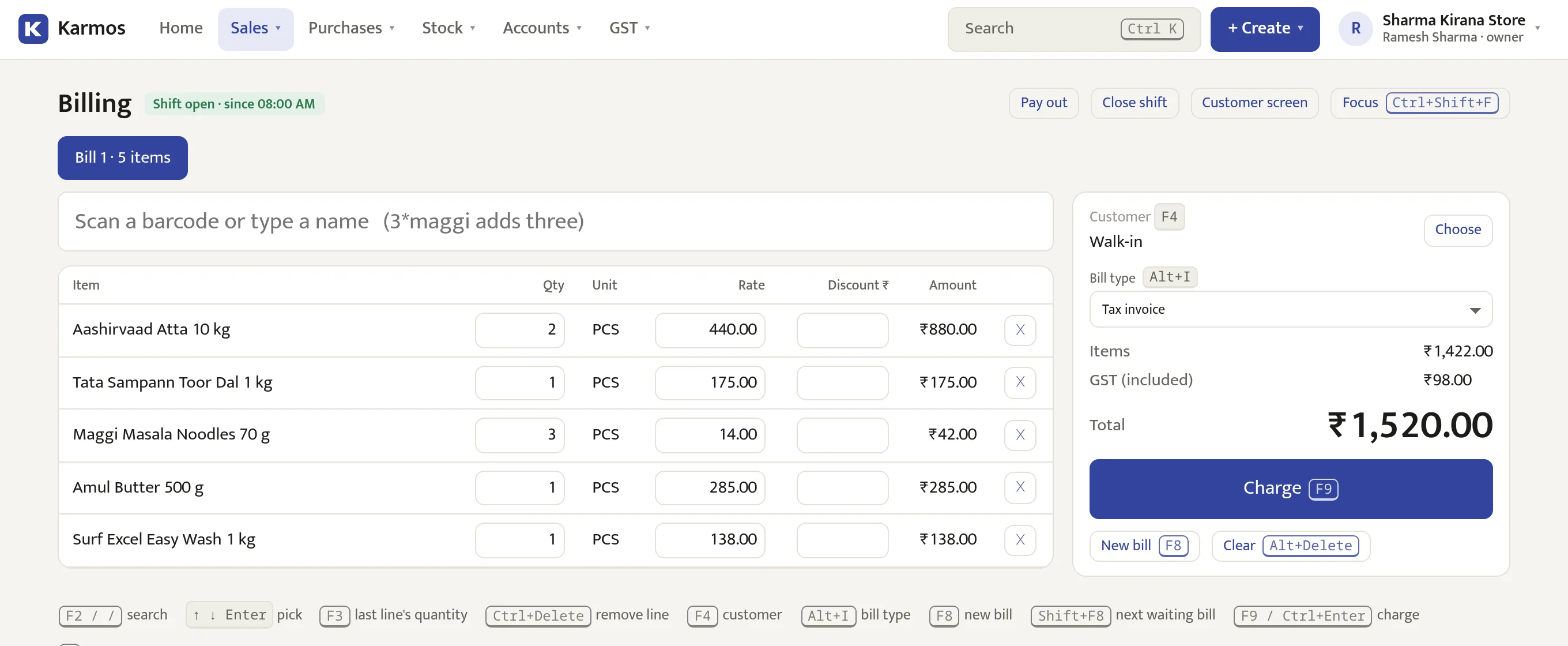
Bill 1 · counter C1
Sharma Kirana Store · walk-in
- Aashirvaad Atta 10 kg × 2880.00
- Tata Sampann Toor Dal 1 kg175.00
- Maggi Masala 70 g × 342.00
- Amul Butter 500 g285.00
- Surf Excel Easy Wash 1 kg138.00
Stock is reduced
Each item comes out of this branch's stock. Items running low are added to the reorder list.
The money is recorded
Cash goes to this counter's drawer, UPI to your bank, and udhaar to the customer's account with a due date.
The entry is posted in your accounts
Karmos posts the double entry for you, so your profit and loss is always up to date.
| Cash-in-Hand | Dr 1,520.00 |
| Sales | Cr 1,422.00 |
| Output CGST | Cr 49.00 |
| Output SGST | Cr 49.00 |
The bill goes into your GST return
It is added to this month's GSTR-1 and 3B by rate and HSN. At month end you download the file.
Billing
Fast billing at the counter
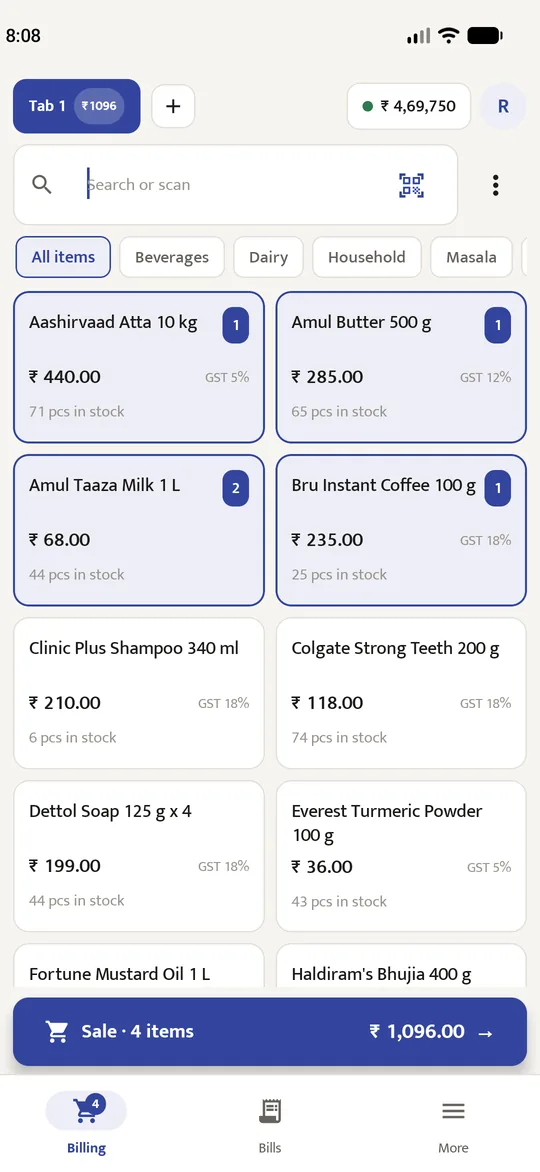
Scan a barcode, type a name or tap an item, then press one key to charge. Works on a computer, phone or tablet.
- Type 3*maggi to add three, press F9 to charge and F8 for the next bill.
- Use a USB or Bluetooth scanner, the phone camera, or labels from a weighing scale.
- Keep a bill on hold while the customer picks up one more thing, and serve the next person.
- Discounts and rate changes above your limit need a manager's PIN.
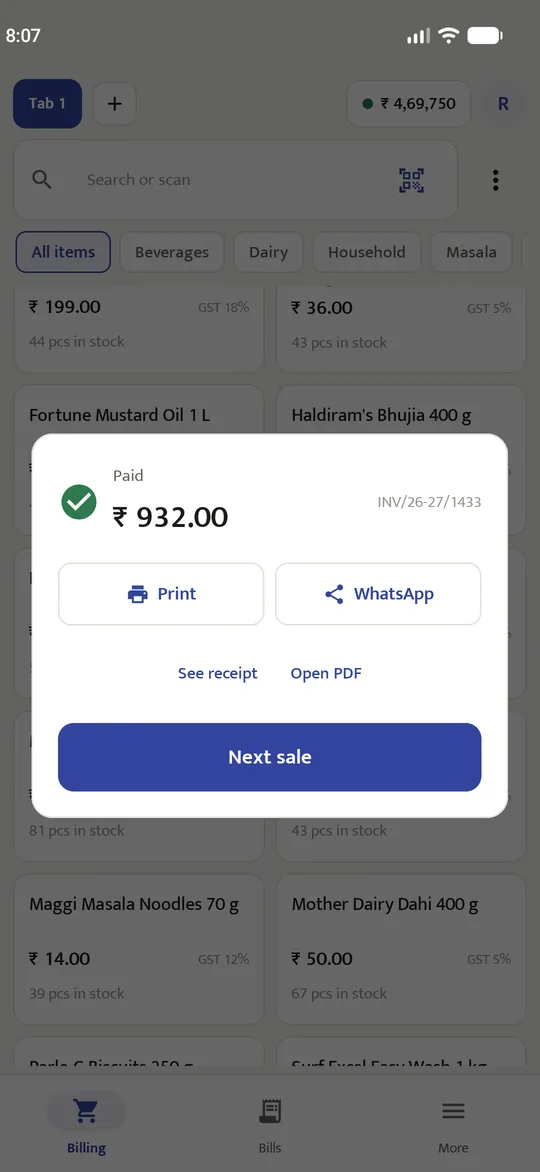
Cash, UPI, card or udhaar
A customer can also pay part in cash and part by UPI.
Print or WhatsApp the bill
On a 58 or 80 mm thermal printer, as an A4 GST invoice, or as a PDF.
More than one counter
Each counter has its own cash drawer and day-end report. Bill numbers never repeat.
Types of business
Set up for the way you sell
Choose your type of business when you sign up, and Karmos shows the features you need.
Kirana and general stores
Bill on your phone, keep track of udhaar, and see your stock without counting it.
- Sell loose items by weight, and buy in cases or packs.
- Each customer's account shows what is due and when. Send a reminder on WhatsApp.
- Works for regular GST, composition, or shops without GST.
Pharmacies and medical stores
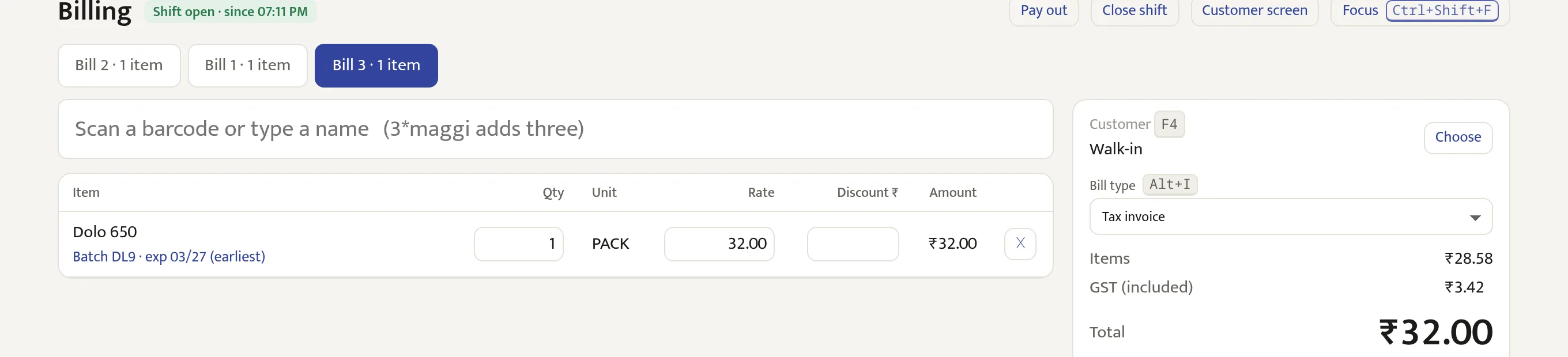
Track batches and expiry dates, record prescriptions, and return medicines before they expire.
- The batch with the earliest expiry is sold first, or you choose one.
- Schedule H and H1 medicines ask for the patient and doctor, and the H1 register is kept for you.
- See what expires soon and send it back to the supplier. Find substitutes by salt.
Restaurants, cafés and food stalls
Order tokens, kitchen tickets, and dine-in, takeaway or delivery on each bill.
- Token numbers start again from 1 each day.
- Kitchen tickets print without prices.
- Restaurant GST at 5%, with input credit left out as the rules require.
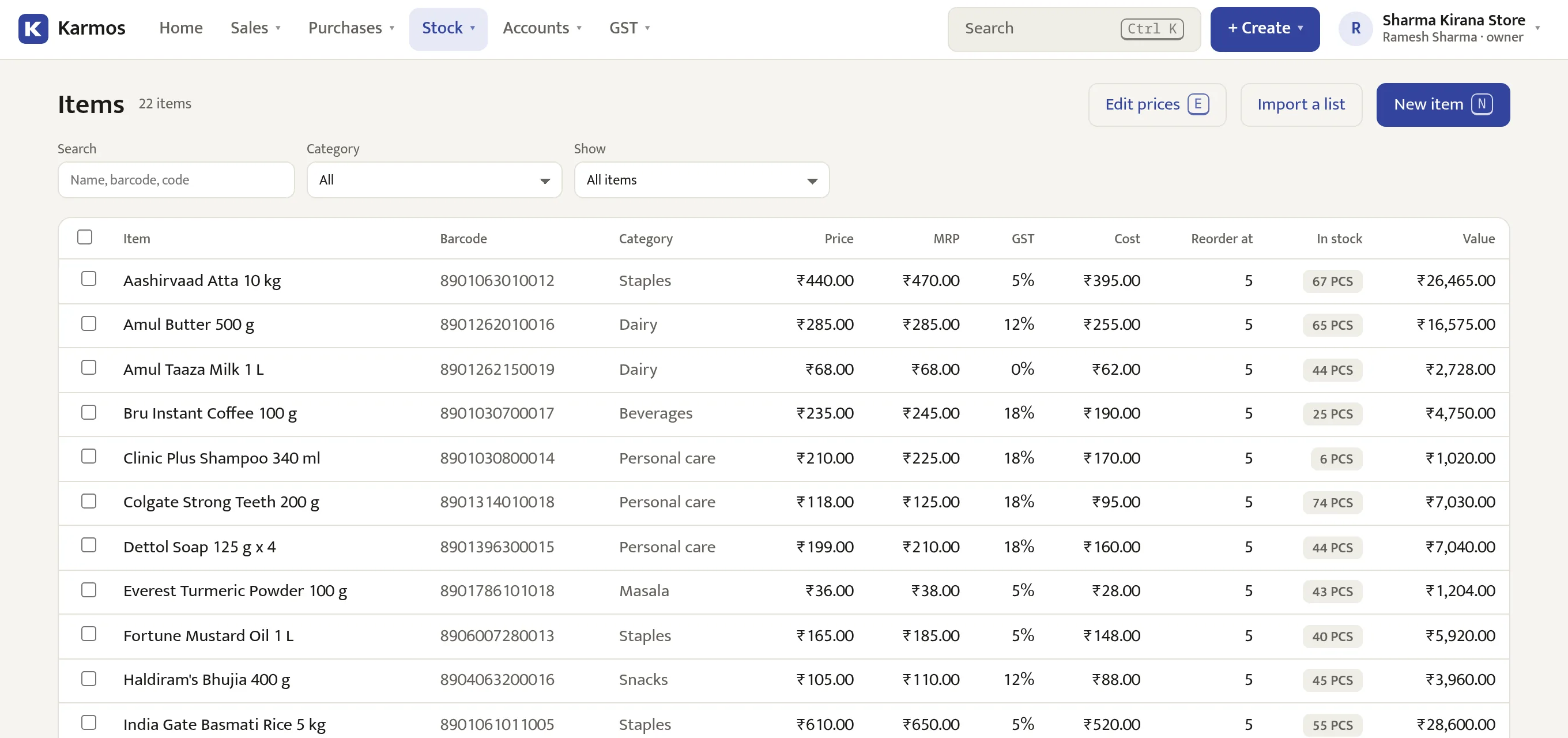
Supermarkets
Several counters, thousands of items, and prices you can change for many items at once.
- Up to five counters on the Store plan, each with its own cash drawer.
- Offers and price lists are applied at the counter automatically.
- Print shelf labels, and set scale codes for fruit and vegetables.
Wholesalers and distributors
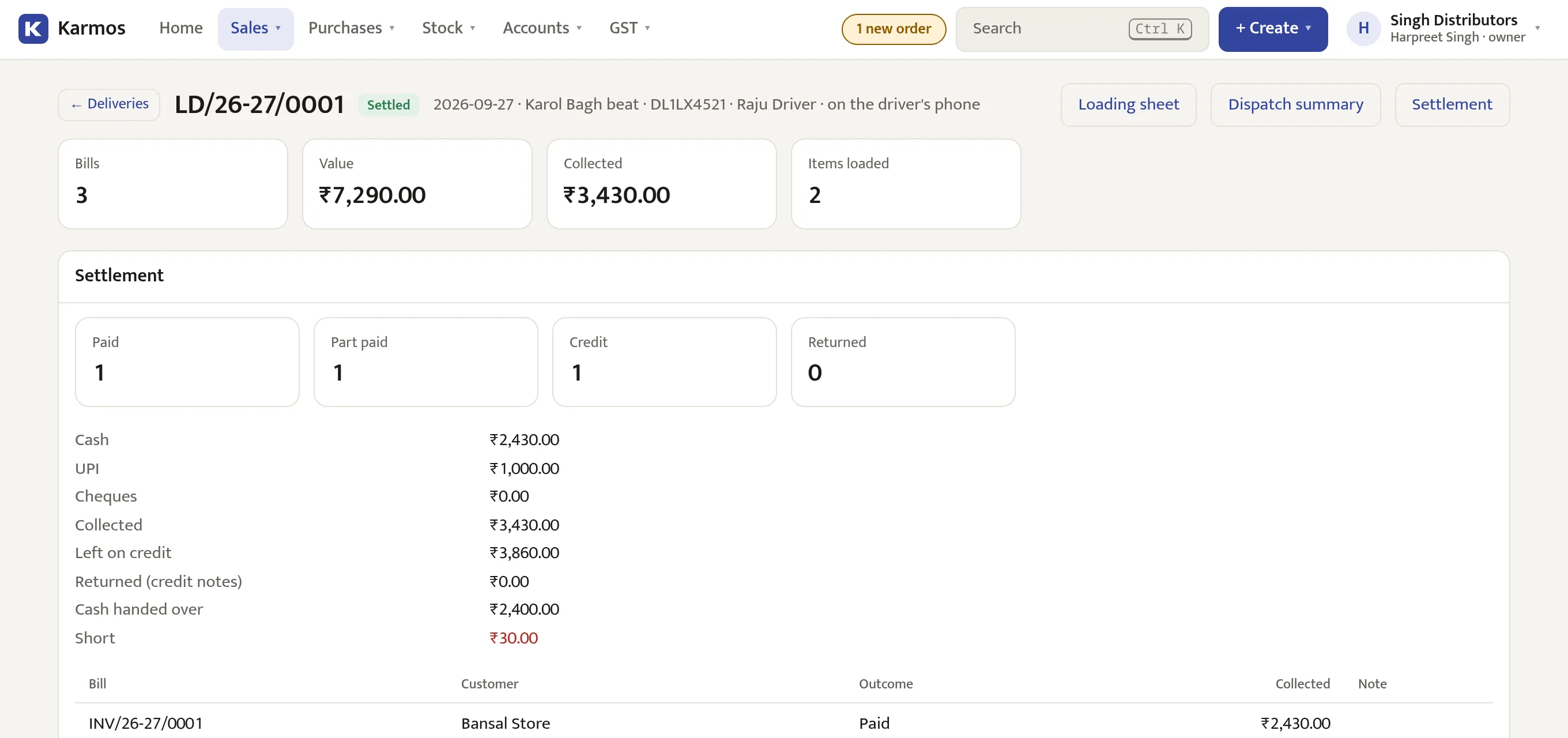
Wholesale rates, credit limits, sales orders and delivery trips.
- Set wholesale prices and a credit limit for each customer.
- Print a loading sheet with the total of each item for the van.
- The driver records each delivery on the phone, and you settle the trip in the evening.
Payments & credit
Payments and udhaar
See each customer's balance and which bills are due. When they pay, the oldest bills are cleared first.
- Show a UPI QR code for the bill amount.
- Set a credit limit and credit days for each customer.
- Print receipts and statements, or send them on WhatsApp.
Stock & purchases
Stock and purchases
Stock changes with every sale, return and purchase, for each branch.
- Buy by the case and sell by the piece or the kilo.
- Track batches and expiry dates.
- Make purchase orders from the reorder list, and enter supplier bills quickly from the keyboard.
- Count stock on the phone, and move stock between branches.
Accounting
Accounting
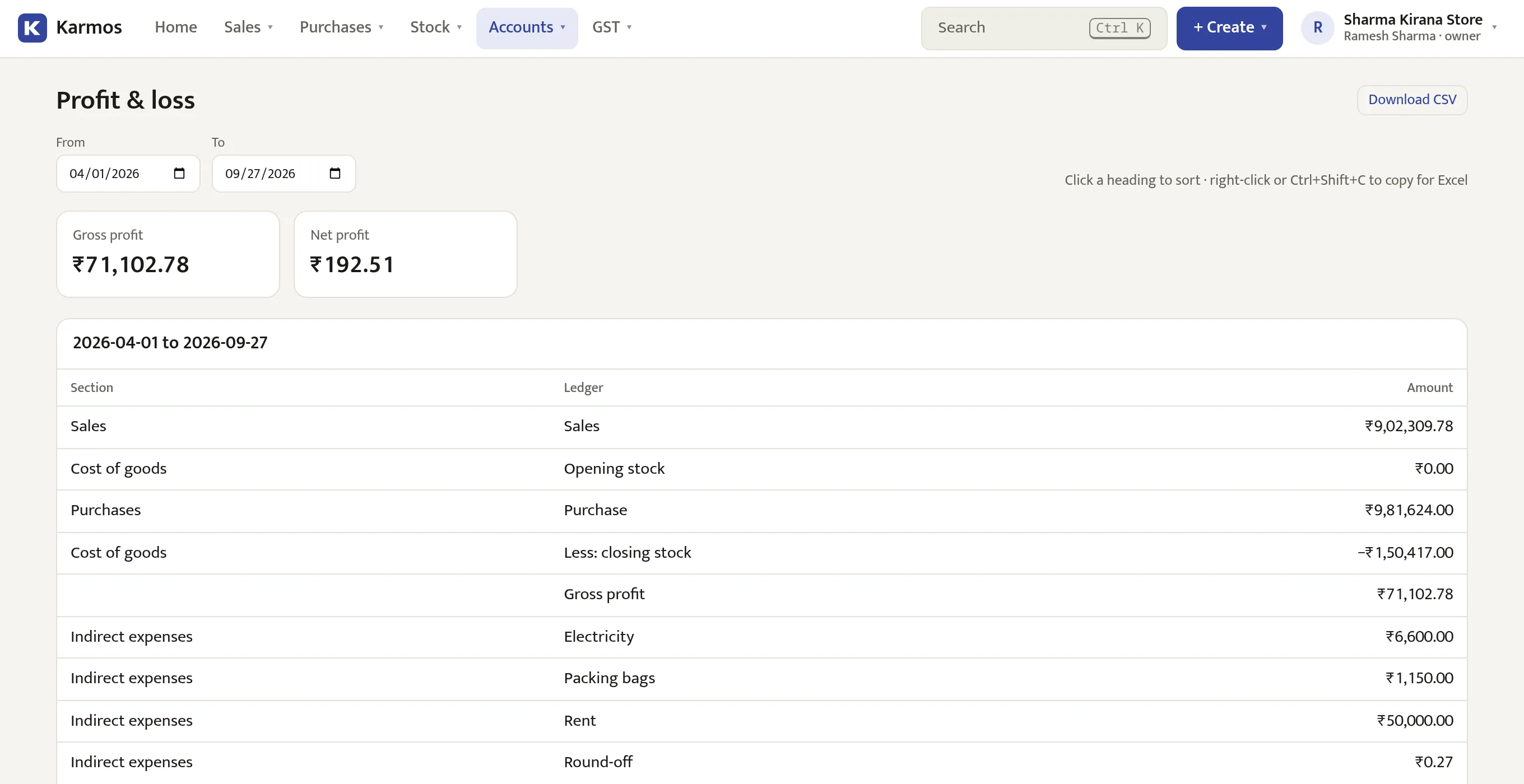
Karmos keeps double-entry accounts from your bills, payments and expenses. You can see your profit any day, and your CA gets the reports they need.
GST
GST returns
Your GST figures come straight from your bills. Download the files for the GST portal or send them to your CA.
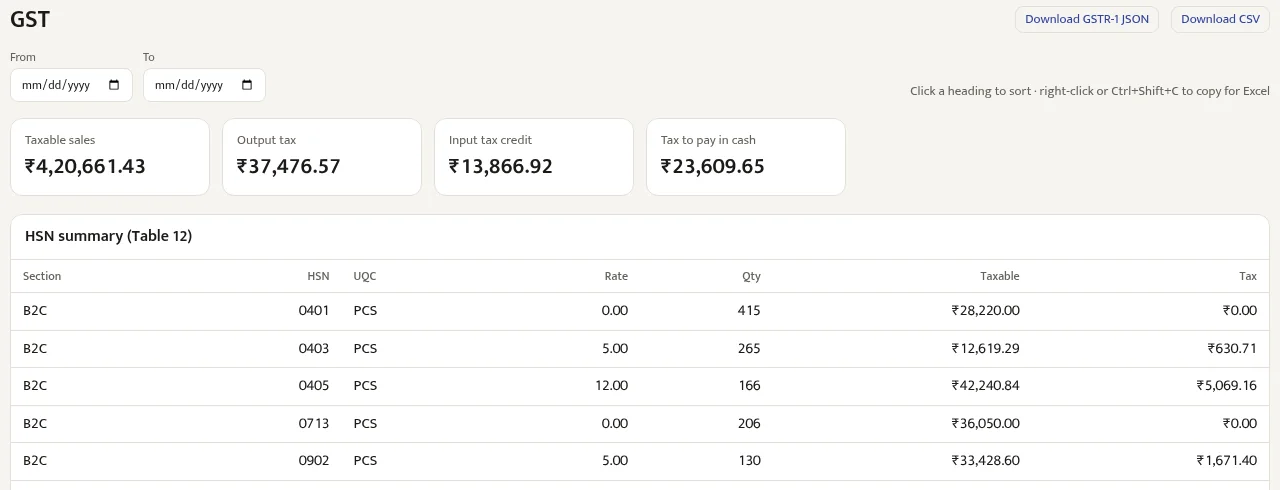
Ready to upload
B2B, B2C, credit notes and the HSN summary.
Tax payable
Output tax, input credit and the amount to pay.
Supplier matching
See which supplier bills are missing from 2B.
IRN and e-way bills
Make the files for the portal, or connect directly.
Staff & payroll
Staff attendance and salaries
Mark attendance and Karmos works out each salary, including PF, ESI, professional tax and advances. Salaries are posted to your accounts.
- Staff check in by scanning a QR code at the shop, or you mark attendance yourself.
- Monthly or daily wages, overtime, leave and weekly offs.
- PF, ESI, PT and TDS, with the amounts to deposit each month.
- PDF payslips, and salary advances recovered in instalments.
- Separate logins for cashiers, managers and owners, each with their own PIN.
| Salary (29 of 30 days) | 17,400.00 |
| Overtime (6 h) | 600.00 |
| PF, 12% of ₹15,000 | −1,800.00 |
| ESI, 0.75% | −135.00 |
| Professional tax | −200.00 |
| Advance recovered | −1,000.00 |
| Net pay | ₹14,865.00 |
Online orders
Online orders
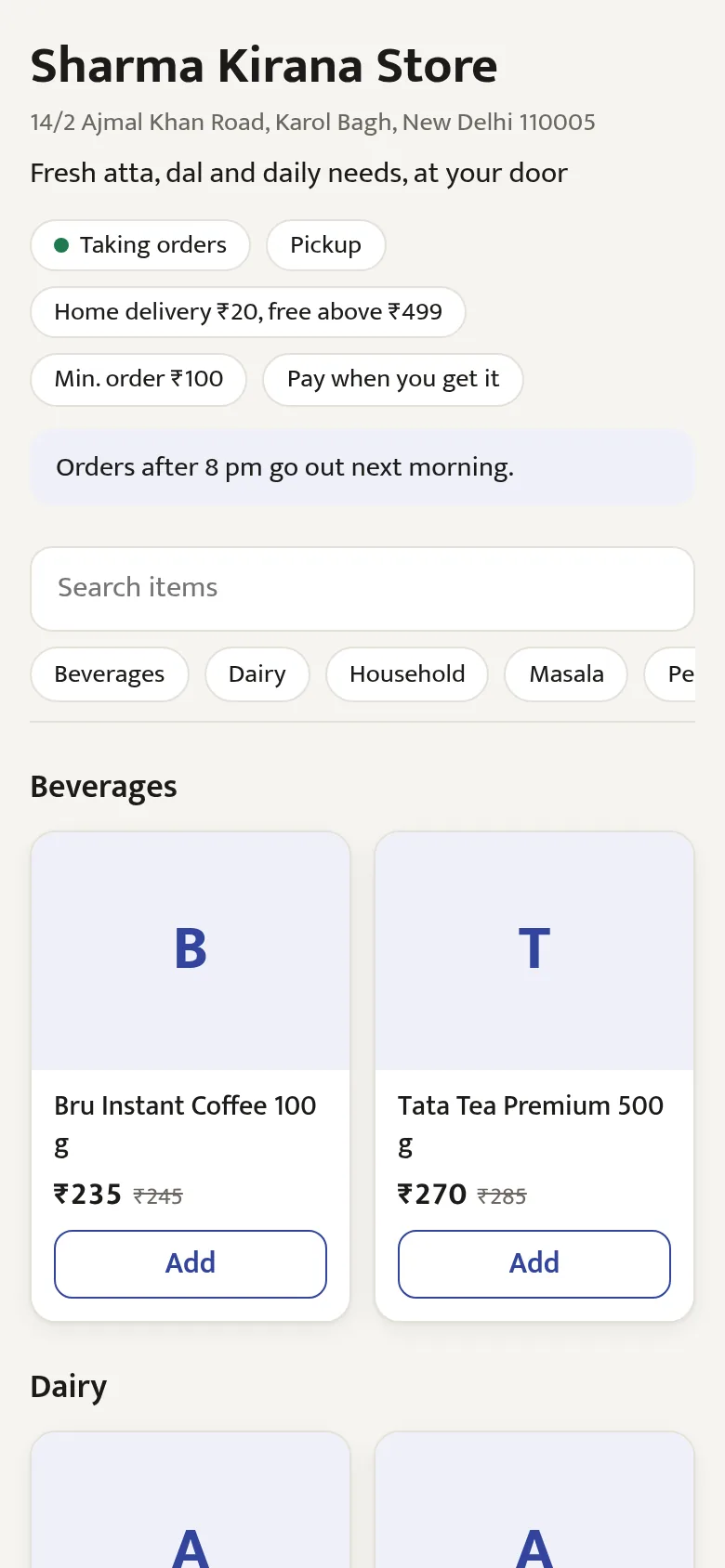
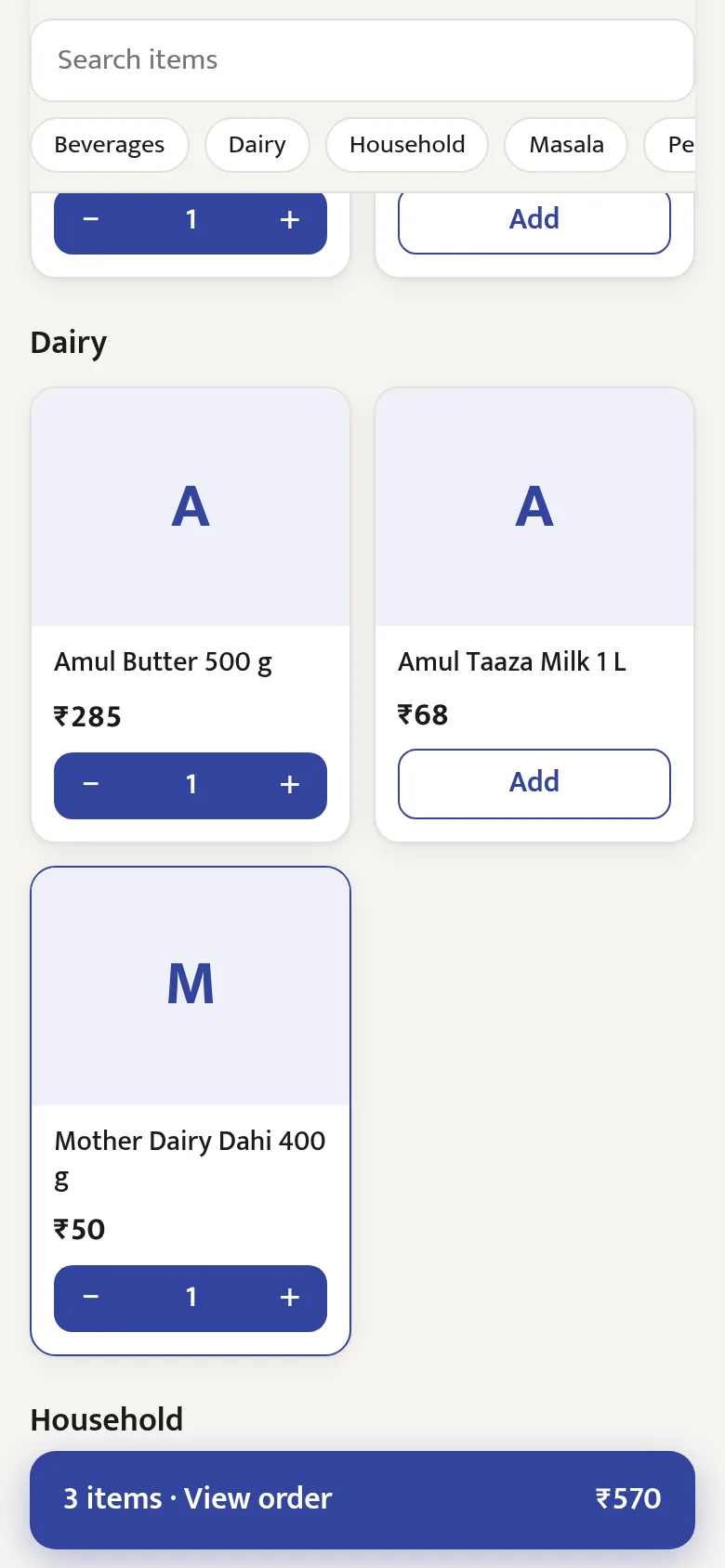
Get a page for your shop and share the link on WhatsApp. Customers order with their name and phone number, and pay on pickup or delivery.
- The page shows your own items and prices, and marks what is out of stock.
- New orders ring at the counter. Accept, pack and bill them in Karmos.
- Choose which PIN codes you deliver to and what you charge.
Deliveries
Delivery trips
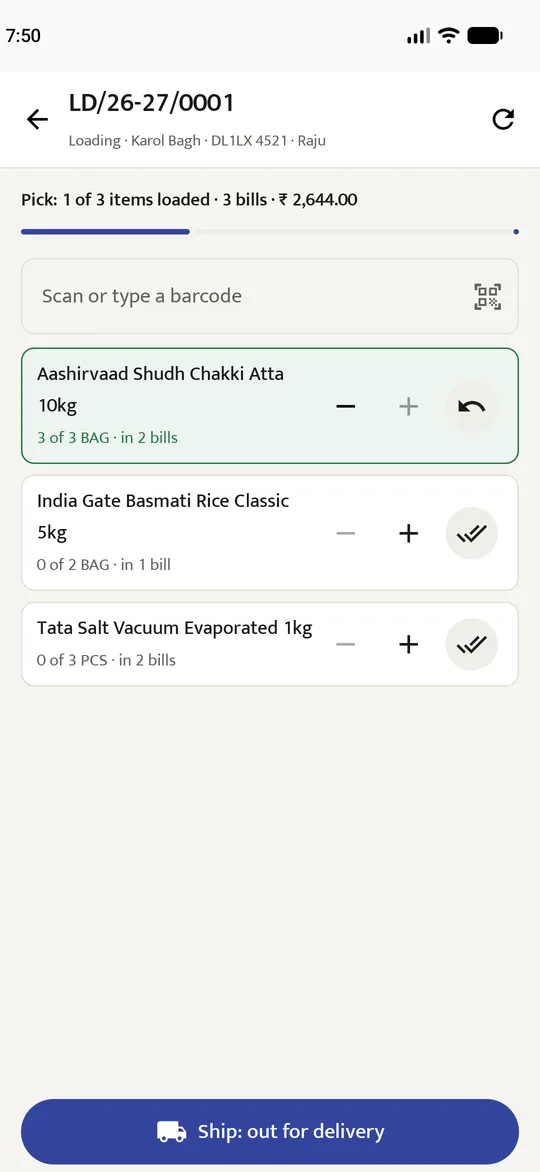
Add bills to a trip, load the van by scanning, and the driver records each delivery on the phone. Settle the trip when the van returns.
- The loading sheet totals each item across all the bills.
- Record each bill as paid, part paid, on credit or returned. Any cash short is recorded too.
- Prepare e-way bills for loads over ₹50,000.
Reports
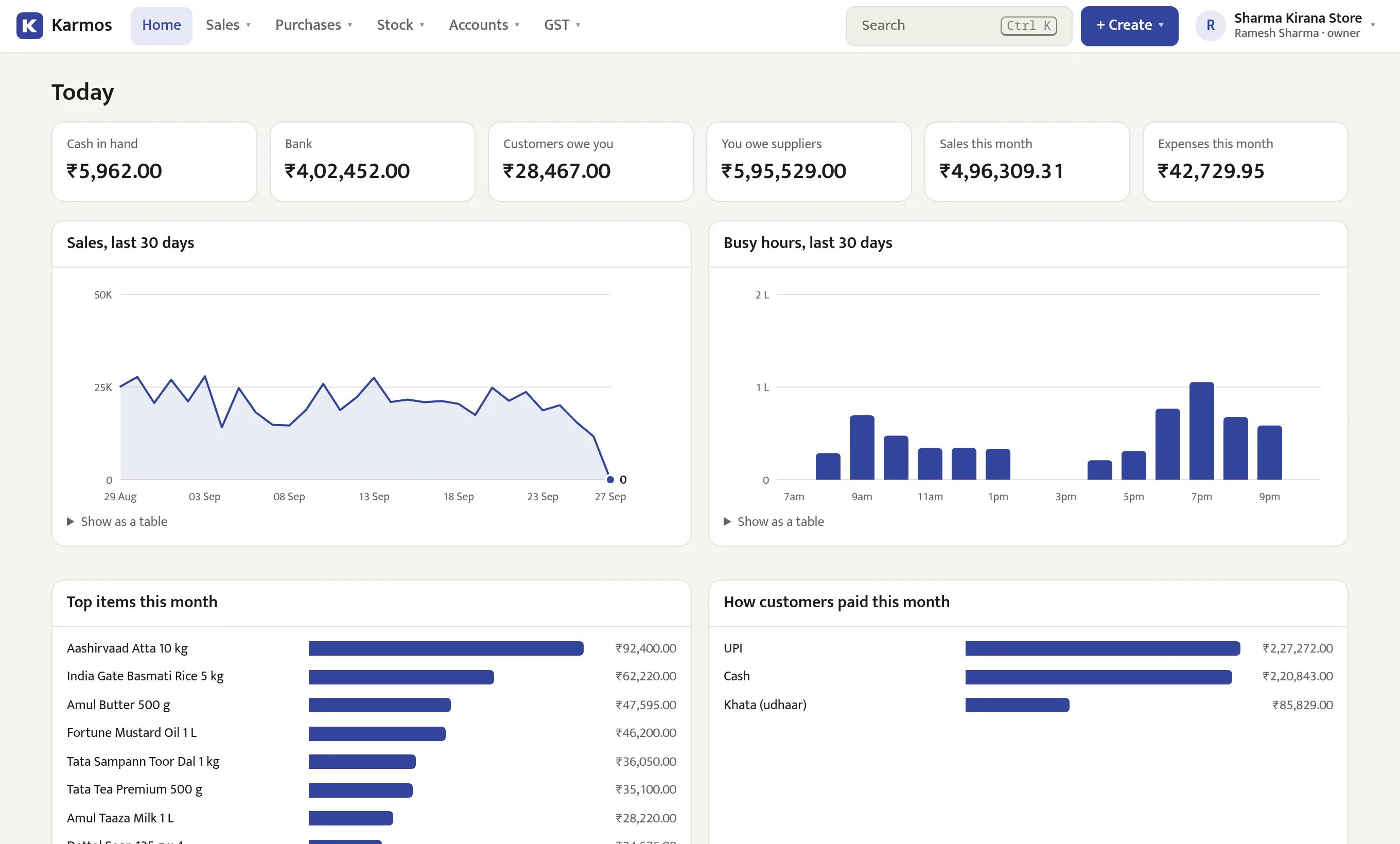
Check on your shop from anywhere
Open Karmos on any computer to see today's sales, cash, bank balance, dues and busiest hours.
Branches and godowns
Separate stock for each branch, with one set of accounts.
A record of every change
Approvals, cancellations and stock changes show who made them and when.
Your data is yours
Backed up every night. If you stop paying, you can still sign in and download everything.
Pricing
Plans and pricing
Every plan includes all features. Prices include GST. Try any plan free for 30 days.
Shop
For a kirana or chemist: fast billing, khata, stock, GST and the books.
or ₹399 a month
- 1 shop, 1 counter
- Billing, credit, stock and GST
- Accounting and payroll
Store
For supermarkets: several counters, weighing-scale labels, offers and a customer screen.
or ₹799 a month
- 2 branches, 5 counters
- Billing, credit, stock and GST
- Accounting and payroll
- Offers, scale labels, customer screen
Distributor
For wholesale and distribution: godowns, delivery trips and the driver's app.
or ₹1,499 a month
- 3 branches, 10 counters
- Billing, credit, stock and GST
- Accounting and payroll
- Offers, scale labels, customer screen
- Delivery trips and the driver's app
- More branches at ₹3,000/year each
Pay with any UPI app. The online ordering page can be added to any plan.
Do I need internet to bill?
Yes. Each bill is saved online, so all your counters and reports stay the same. Mobile data is enough. Keep a hotspot ready in case your connection drops.
Which printers and scanners work?
58 mm and 80 mm Bluetooth thermal printers, any A4 printer, USB and Bluetooth barcode scanners, and the phone camera. Karmos can also read barcodes printed by weighing scales.
My shop isn't GST-registered, or I'm on composition. Does it still work?
Yes. Shops without GST make bills without tax. Composition shops get a bill of supply and CMP-08 figures. Regular shops get tax invoices and GSTR-1, 3B and 2B.
How do I move my items and customers in?
Upload your item list and opening stock from Excel. Then enter old udhaar and supplier dues as opening balances.
Can my staff use it without seeing everything?
Yes. Give each person their own login and PIN. Cashiers can bill, but can't see costs, reports or settings.
What happens after the free trial?
Choose a plan and pay by UPI. If you don't, you have 7 more days. After that you can still sign in and download your data, but you can't make new bills.
Try Karmos free for 30 days
Sign up, add your items and make your first bill. You don't need a card.
After signing up, sign in on the app with the same username.